
What is Cursor?
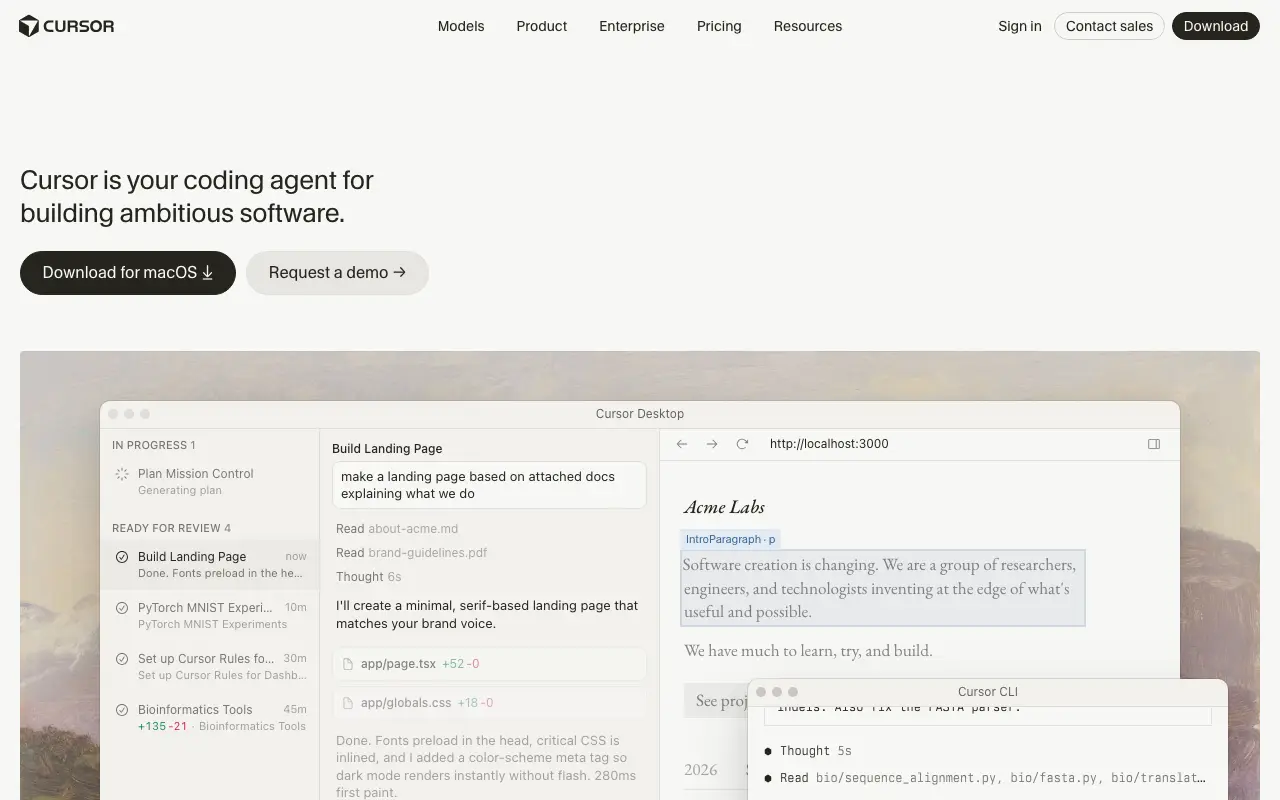
Cursor is a coding agent designed to assist in the creation of complex software. It provides an environment where developers can hand off specific tasks to AI agents, allowing them to focus on high-level decision-making. The tool is available as a desktop application and a command-line interface.
Beyond simple code completion, Cursor utilizes agents that can work autonomously. These agents can use their own computers to build, test, and demo features end to end. This approach aims to change how software is built by integrating AI directly into the development lifecycle.
How Cursor works
Users interact with Cursor through a desktop IDE, a CLI, or via integrations in Slack and GitHub. Developers can provide instructions through natural language, such as requesting a new component or fixing a specific bug. The AI agents then explore files, search for implementations, and generate code changes. Some agents can run in parallel, performing tasks like building dashboards or managing telemetry pipelines while the user continues other work.
Who should use Cursor
Cursor is built for software engineers, researchers, and technologists who want to accelerate their development process. It is suitable for individual developers looking for advanced coding assistance and for enterprise teams that require centralized billing, administration, and enhanced security controls.
Cursor key features
- AI coding agents for autonomous task completion
- Cursor CLI for terminal-based assistance
- Slack integration for team collaboration
- GitHub integration for code reviews
- Cloud agents and automations
- Semantic search and codebase indexing
- Multi-agent collaboration capabilities
Who Cursor is for
Cursor pros and cons
Pros
- Autonomous agents can handle end-to-end feature development
- Integrates with common developer tools like Slack and GitHub
- Supports both desktop and command-line interfaces
Cons
- Third-party model usage requires separate billing
- Advanced features like cloud agents are limited to higher-tier plans
Cursor pricing
Freemium, paid plans from $8/month. Plans range from a Free tier to individual and team subscriptions, with an Ultra tier available.
Prices last checked November 24, 2026. Always confirm on the official Cursor website.
Cursor FAQ
Is Cursor free?
Yes, there is a Free plan available with limited AI usage, features, and requests.
What is Cursor used for?
Cursor is used as a coding agent to build software, write code, and automate development tasks.
Can I use Cursor in my terminal?
Yes, Cursor offers a CLI that allows you to run the tool directly in your terminal.
Does Cursor support third-party models?
Yes, third-party models are available in Cursor but are billed separately by usage.