
What is Seedance Video Generator?
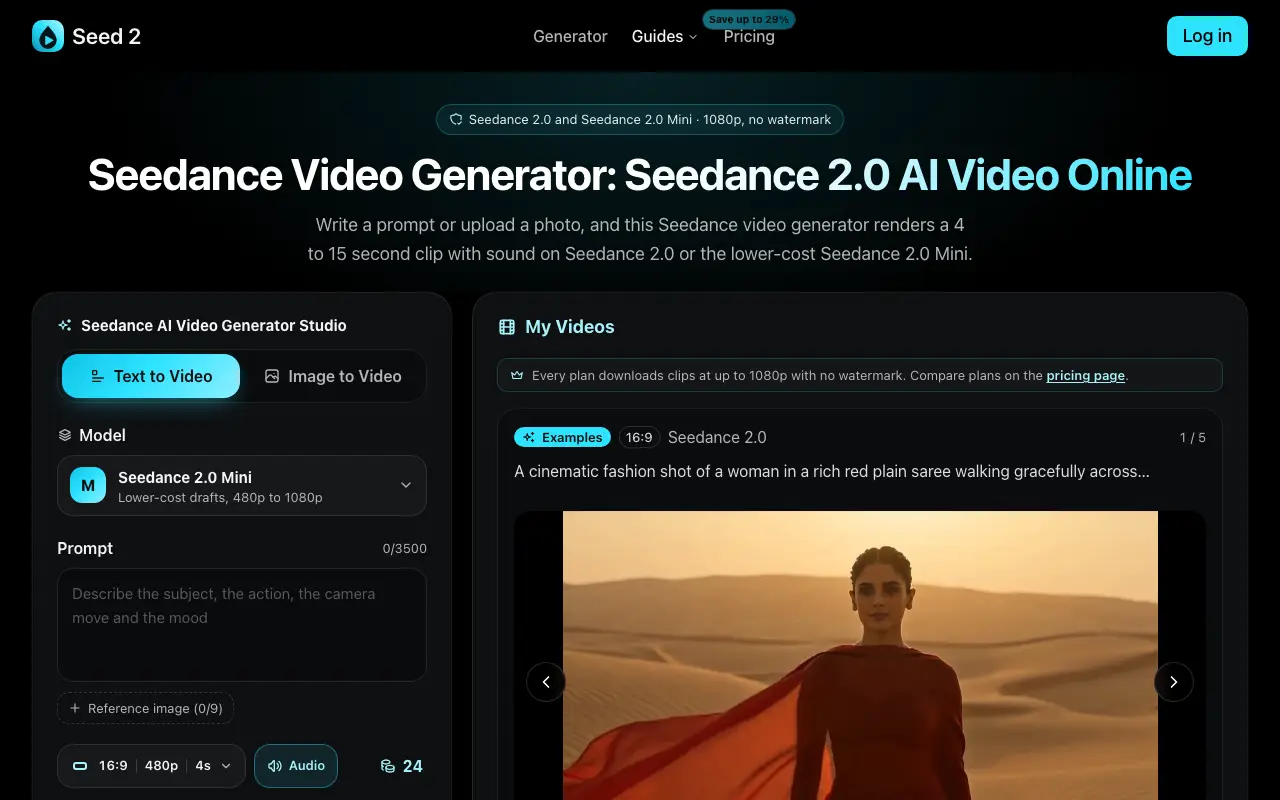
Seedance Video Generator is an independent browser studio that utilizes the WaveSpeed API to access ByteDance's Seedance 2.0 and Seedance 2.0 Mini models. It allows users to produce short, multi-shot video clips ranging from 4 to 15 seconds in length.
The platform offers two primary modes: text-to-video and image-to-video. The image-to-video mode allows for a first frame and an optional last frame to guide the motion. Every generated clip includes synchronized audio, which can include background music, ambient sounds, or character dialogue.
How Seedance Video Generator works
Users begin by writing a descriptive prompt in English or uploading a reference photo. After selecting a model, such as the high-quality Seedance 2.0 or the cost-effective Seedance 2.0 Mini, users set their desired resolution, aspect ratio, and clip duration. The studio displays the credit cost before generation, and once processed, the video is available for download up to 1080p without a watermark.
Who should use Seedance Video Generator
This tool is designed for content creators, social media managers, and small studios. It is suitable for individuals making vertical clips for TikTok and Reels, filmmakers needing storyboards, or marketers creating product demonstrations from single photos.
Our take
Seedance Video Generator provides a practical way to access high-quality video models with integrated audio in a single pass. A major strength is the availability of the Mini model, which allows users to create low-resolution drafts at a lower credit cost. However, the tool is strictly subscription-based, meaning there is no way to generate videos without an active paid plan.
Seedance Video Generator key features
- Text to video generation from written prompts
- Image to video using first and last frame references
- Native audio generation including music and voiceovers
- Video resolutions up to 1080p
- Six different aspect ratio options
- Support for up to 9 reference images
- No watermark on downloaded clips
Who Seedance Video Generator is for
Seedance Video Generator pros and cons
Pros
- Integrated audio and video generation in one pass
- Lower cost drafting option with the Mini model
- No watermarks on any subscription plan
Cons
- No free tier or trial available for testing
- Video generation requires a recurring subscription
Seedance Video Generator pricing
Paid, paid plans from $9.95 /month. Pricing is based on a credit system where costs vary by model and resolution.
Prices last checked November 23, 2026. Always confirm on the official Seedance Video Generator website.
Seedance Video Generator FAQ
Is Seedance Video Generator free?
No, video generation requires a monthly or annual subscription.
What is Seedance Video Generator used for?
It is used to create short 4 to 15 second video clips with sound from text or images.
Can I download videos without a watermark?
Yes, every plan allows you to download clips at up to 1080p with no watermark.
What is the difference between the 2.0 and 2.0 Mini models?
Seedance 2.0 provides the highest quality, while 2.0 Mini is a lower-cost option for drafts.