What is AIExpand?
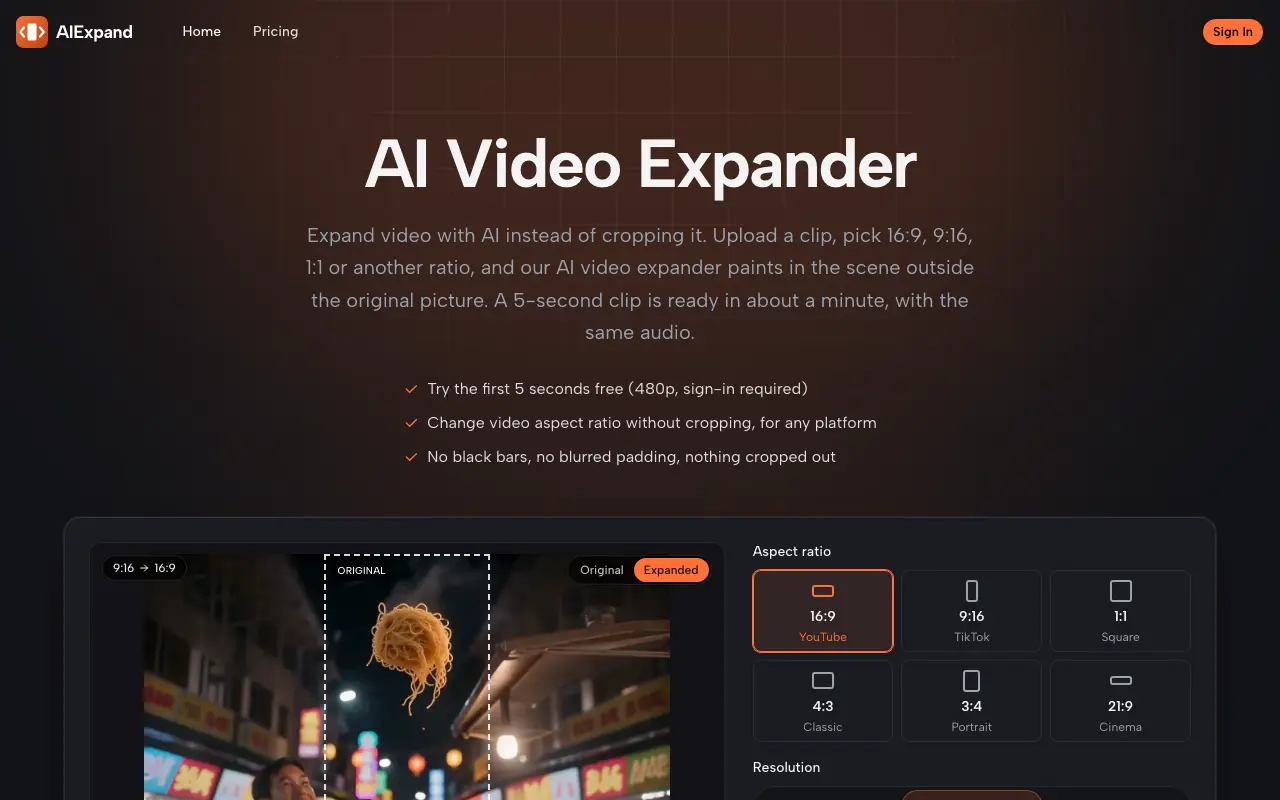
AIExpand is a focused video tool designed to change aspect ratios through a process called video outpainting. Instead of cropping the original frame or adding black bars, the AI studies the scene's perspective, lighting, and movement to generate new pixels that extend the existing background.
This method allows users to repurpose a single clip for multiple formats, such as turning a vertical phone recording into a widescreen video. The tool keeps the original footage in the center of the frame, ensuring the subject remains untouched while the new edges move naturally with the camera motion.
How AIExpand works
Users start by uploading an MP4 or MOV file up to 100 MB or two minutes in length. After selecting a target aspect ratio like 16:9, 9:16, or 1:1, an optional text prompt can be added to guide the background generation. The AI then processes the clip, typically taking about a minute for a five-second video, and produces an expanded MP4 file that retains the original audio.
Who should use AIExpand
This tool is built for content creators, marketers, and video editors who need to resize assets for various social media platforms without losing visual information. It is also useful for AI video makers who need to adjust the output of other generative models to fit specific platform requirements.
Our take
AIExpand offers a highly efficient way to repurpose content by avoiding the common pitfalls of cropping or letterboxing. Its ability to maintain original lighting and motion makes the expanded edges look natural. However, the tool is a specialized utility rather than a full-featured video editor, meaning users cannot perform traditional editing tasks like cutting or color grading within the platform.
AIExpand key features
- AI video outpainting to generate new background content
- Supports aspect ratios including 16:9, 9:16, 1:1, 4:3, and 21:9
- Maintains original audio in the expanded video file
- Resolution options for 480p, 720p, and 1080p
- Automatic detection and trimming of existing black bars
- Optional text prompts to steer background generation
- Automatic credit refunds for failed processing jobs
Who AIExpand is for
AIExpand pros and cons
Pros
- Preserves the entire original frame without cropping
- Fast processing speeds for short clips
- Avoids black bars and blurred padding
Cons
- Limited to aspect ratio expansion rather than general editing
- Credits expire at the end of the billing month for subscription plans
AIExpand pricing
Paid, paid plans from $9.90 / month. Users can choose between monthly subscription plans or one-time credit packs that never expire.
Prices last checked November 23, 2026. Always confirm on the official AIExpand website.
AIExpand FAQ
Is AIExpand free?
Users can try a free 5-second preview at 480p resolution with a sign-in required.
What is AIExpand used for?
It is used to change video aspect ratios by generating new background content around the original video.
What happens if a job fails?
If a job fails, the credits used are automatically returned to your balance.
Do the credits roll over?
Plan credits arrive at the start of each billing month and expire at its end; they do not roll over.