
What is Describe Image?
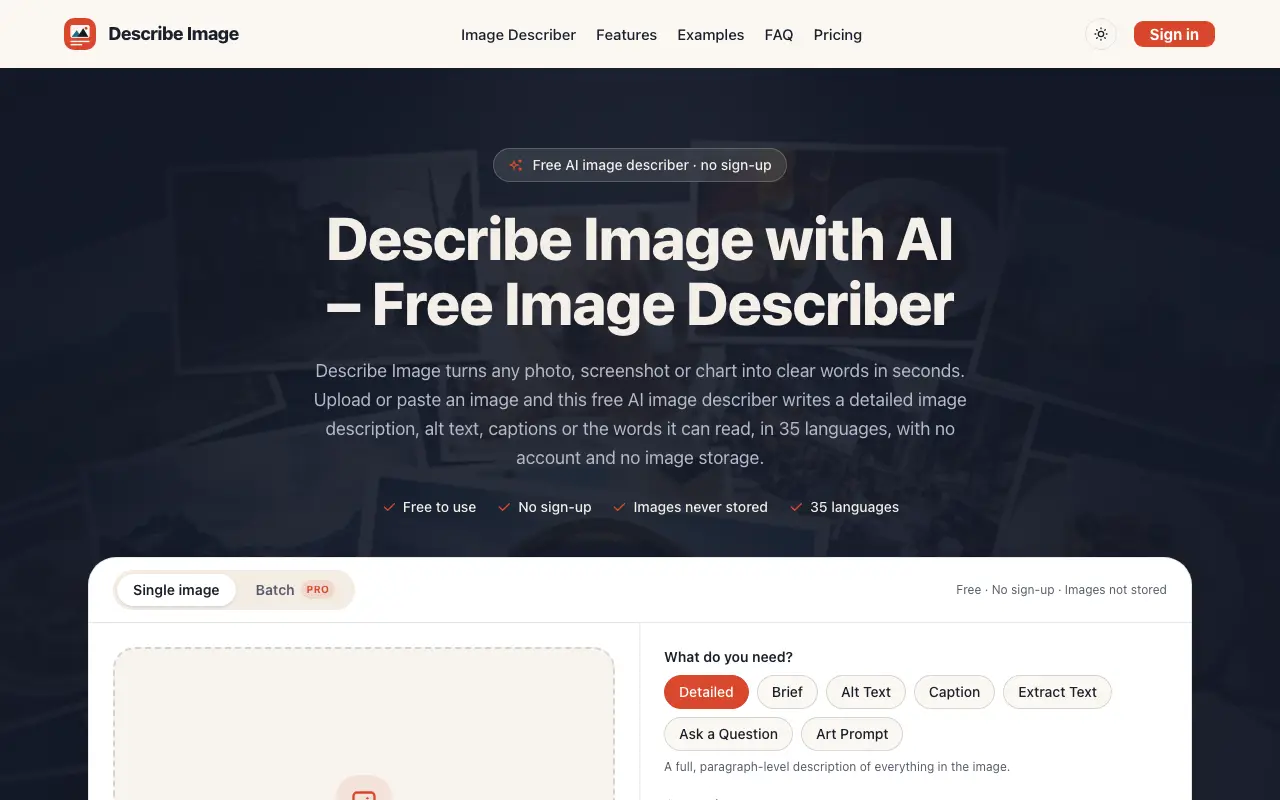
Describe Image is an AI-powered utility designed to translate visual information into written language. It can process photos, screenshots, and charts to produce specific outputs such as accessible alt text, social media captions, or detailed paragraph-level descriptions.
Users can interact with the tool through several modes, including text extraction and a conversational feature that allows for follow-up questions about the image content. The service operates directly in modern web browsers on desktops, tablets, and mobile devices.
How Describe Image works
To use the tool, users upload a JPG, PNG, WebP, or GIF file up to 15 MB, paste an image link, or paste a screenshot directly into the browser. After uploading, the user selects one of seven output modes—such as Detailed, Brief, Alt Text, Caption, Extract Text, Ask a Question, or Art Prompt—and chooses an output language from 35 available options. The AI then processes the image and streams the text result to the screen for copying or further refinement.
Who should use Describe Image
This tool serves a wide range of users, including web developers and bloggers needing accessible alt text, social media managers looking for captions, and e-commerce owners drafting product listings. It is also useful for AI artists seeking image-to-prompt conversions, students practicing language skills, and researchers needing to summarize charts or scanned documents.
Our take
Describe Image is a highly accessible tool because it requires no account creation and offers a functional free tier for single image tasks. While the free version is useful for occasional needs, the lack of batch processing and the limit on follow-up questions may restrict users who need to process large volumes of visual data quickly.
Describe Image key features
- Generates detailed paragraph-level image descriptions
- Creates WCAG-compliant alt text under 125 characters
- Produces three social media caption options with hashtags
- Extracts text from signs, menus, and handwritten notes
- Supports 35 different output languages
- Converts images into prompts for Midjourney or Stable Diffusion
- Allows follow-up questions about visible image content
Who Describe Image is for
Describe Image pros and cons
Pros
- No sign-up or account required for free use
- Supports a wide variety of image formats
- Includes a batch mode in the Pro plan
- Images are not stored on the platform
Cons
- Free plan is limited to one image at a time
- Daily description limit for free users
- Follow-up questions are limited on the free tier
Describe Image pricing
Freemium, paid plans from $9.90/month. The free plan allows 100 descriptions a day, while the Pro plan offers 1,000 descriptions a day and batch processing.
Prices last checked November 23, 2026. Always confirm on the official Describe Image website.
Describe Image FAQ
Is Describe Image free?
Yes, there is a free version that allows one description at a time without an account.
What is Describe Image used for?
It is used to generate alt text, detailed descriptions, social media captions, and extract text from images.
Do I need to create an account?
No, you can use the free version without signing up.
Are my images stored?
No, the tool states that images are never stored.