What is tl;dv?
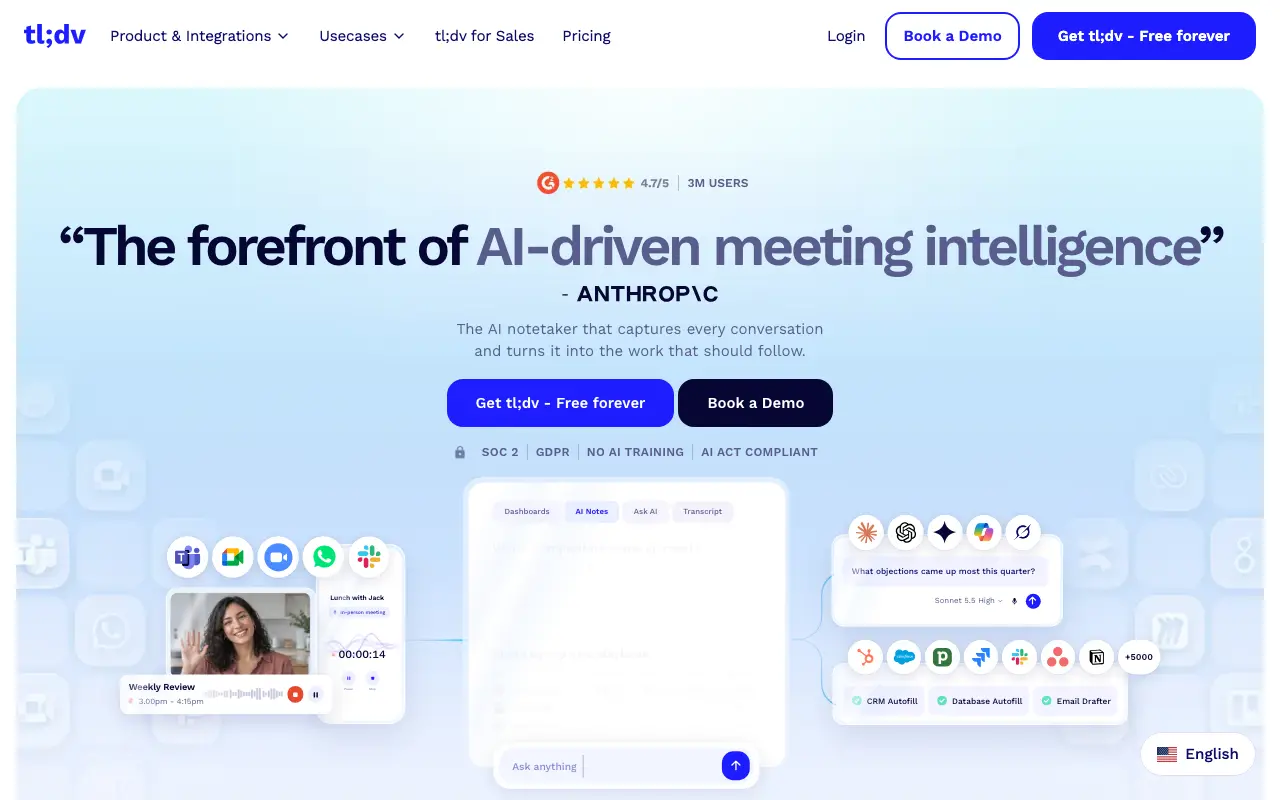
tl;dv is an AI-driven meeting assistant designed to capture every conversation across online, hybrid, or in-person settings. It provides highly accurate transcripts and summaries in over 100 languages, ensuring that no detail from a call is lost.
The tool offers multiple ways to record, including a bot that joins video calls, a desktop app for computer audio, and a mobile app for in-person meetings like workshops or lunches. It focuses on providing speaker identification and timestamped lines for every participant.
How tl;dv works
The workflow begins by selecting a recording method, such as allowing a bot to auto-join from a calendar or using the desktop app to detect audio. Once the meeting concludes, the tool generates a full transcript and a summary based on chosen templates like discovery calls or sprint planning. Users can then use the 'Ask AI' feature to query the transcript or automatically sync action items and data to integrated tools like HubSpot, Salesforce, or Slack.
Who should use tl;dv
This tool is built for sales teams, recruiters, product managers, and any professional teams that conduct frequent meetings. It is particularly useful for organizations that need to maintain accurate CRM records or build a knowledge base from client interactions without manual data entry.
Our take
tl;dv provides a strong suite of automation features, especially regarding CRM autofill and multi-language support. The ability to record in-person meetings via a mobile app sets it apart from many digital-only competitors. However, the free tier includes usage limits on AI features and notes, which may require an upgrade for heavy users.
tl;dv key features
- Transcripts in over 100 languages with 99% accuracy
- AI-generated meeting summaries using custom templates
- Automatic CRM field updates for HubSpot and Salesforce
- Action item assignment and follow-up email drafting
- Mobile app for recording in-person meetings offline
- Desktop app for recording audio without a meeting bot
- Integration with Slack, Notion, Jira, and Pipedrive
Who tl;dv is for
tl;dv pros and cons
Pros
- Supports in-person recording via mobile app
- Extensive library of over 5,000 integrations
- High transcription accuracy across many languages
Cons
- Free plan has limits on AI note and query usage
- Advanced features like scheduled reports require Business plans
tl;dv pricing
Freemium. Plans range from a Free tier to Pro, Business, and Enterprise levels with varying AI limits.
Prices last checked November 24, 2026. Always confirm on the official tl;dv website.
tl;dv FAQ
Is tl;dv free?
Yes, there is a free forever plan that includes unlimited video recordings and transcriptions.
What is tl;dv used for?
It is used to record, transcribe, and summarize meetings to automate workflows and CRM updates.
Which platforms does it support?
It works with Zoom, Google Meet, Microsoft Teams, and can record any audio via a desktop app.
Does it support multiple languages?
Yes, it provides transcription and support for over 100 languages.