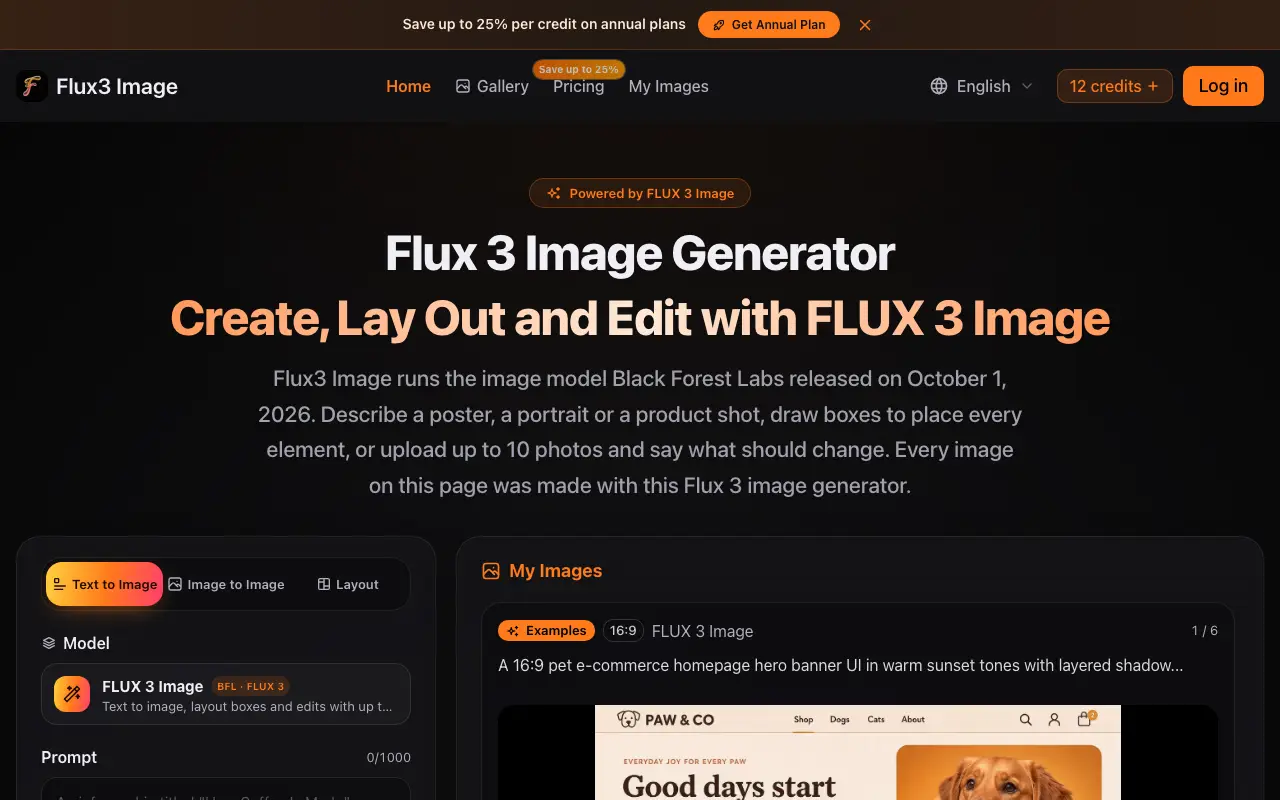
What is Flux 3 Image Generator?
Flux 3 Image Generator is a web-based interface for the FLUX 3 multimodal model developed by Black Forest Labs. It provides tools for text-to-image generation, layout control via bounding boxes, and advanced image editing capabilities.
The platform supports various output resolutions up to 4K and offers 14 different aspect ratios. It is designed to handle complex tasks like rendering clean text, following long prompts, and maintaining consistency during edits.
How Flux 3 Image Generator works
Users can generate images by entering text prompts or by using the layout mode to draw bounding boxes on a grid to place specific elements. For editing, users can upload up to 10 reference photos to guide changes, such as swapping a product or changing a clothing item, while the model keeps the rest of the scene intact. The system processes these requests in a browser environment, typically delivering results within 30 to 70 seconds.
Who should use Flux 3 Image Generator
This tool is intended for creators, marketers, designers, and e-commerce sellers. It serves those who need precise control over image composition, such as designers creating posters or marketers needing consistent product shots and lifestyle scenes without a studio.
Our take
Flux 3 Image Generator offers significant control through its bounding box layout system and multi-reference editing features. This makes it more precise than standard text-to-image tools for professional design work. However, the credit-based system and varying costs for higher resolutions mean users must carefully manage their budget to avoid unexpected expenses.
Flux 3 Image Generator key features
- Text-to-image generation with long prompt support
- Layout control using bounding boxes on a 0-1000 grid
- Pixel-exact editing with up to 10 reference photos
- High-resolution output up to 4K resolution
- 14 different aspect ratios for various platforms
- Clean text rendering for posters and infographics
- Style transfer from sketches or existing photos
Who Flux 3 Image Generator is for
Flux 3 Image Generator pros and cons
Pros
- Precise layout control with bounding boxes
- Advanced multi-reference image editing
- High-quality 4K output for print
- Clean text rendering capabilities
Cons
- Higher resolution images require more credits
- Generation times can vary between 30 and 70 seconds
Flux 3 Image Generator pricing
Paid, paid plans from $4.9 /month. Users can choose between monthly, annual, or one-time credit packs, with annual plans offering up to 25% savings.
Prices last checked November 23, 2026. Always confirm on the official Flux 3 Image Generator website.
Flux 3 Image Generator FAQ
Is Flux 3 Image Generator free?
The site offers free credits to start, but full access requires a paid subscription or credit purchase.
What is Flux 3 Image Generator used for?
It is used for creating high-resolution images, designing layouts with specific element placement, and editing photos using reference images.
How many reference photos can I use?
You can upload up to 10 reference photos for a single edit.
Can I use the images commercially?
The plans include commercial-friendly usage.