What is Grok Image?
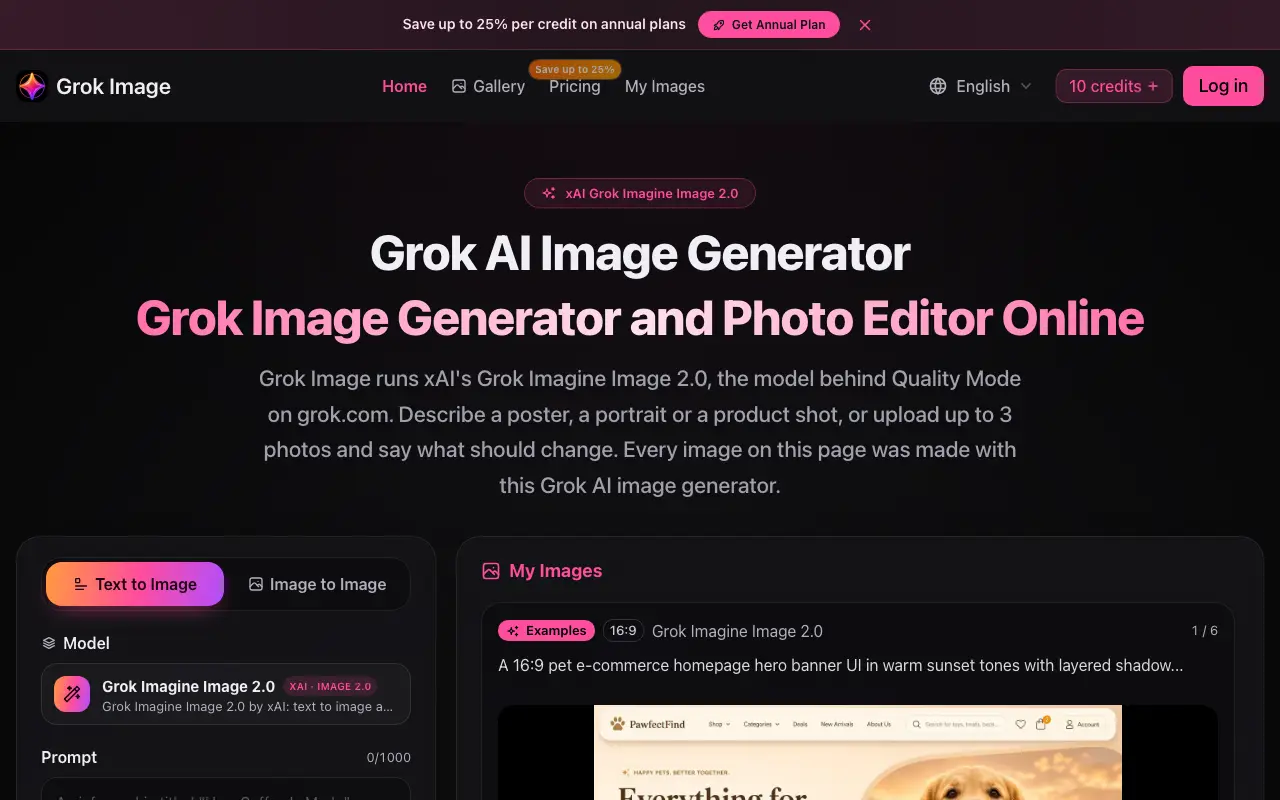
Grok Image is a web-based tool that runs xAI's Grok Imagine Image 2.0 model. It allows users to generate images from text descriptions or modify existing photos using prompt-guided instructions. The tool is designed to handle complex tasks like typography, layout planning, and maintaining subject consistency.
Unlike the official Grok apps on x.com, this version does not require an X or Grok account to use. Users can sign in with Google and use a credit-based system to generate images in 1K or 2K resolution across 13 different aspect ratios.
How Grok Image works
The workflow begins by signing in with a Google account. Users then enter a text prompt describing the desired subject, layout, or text, or they upload up to three reference photos for editing. After selecting a specific aspect ratio and quality setting, the generator produces an image, typically within 20 to 90 seconds. For edits, users can specify changes like color, lighting, or style while the tool keeps the rest of the image intact.
Who should use Grok Image
This tool is built for creators, marketers, designers, and e-commerce sellers. It serves those who need to produce professional assets like product shots, posters, or social media content without a full photo studio. It is also useful for educators and freelancers needing quick visual iterations.
Our take
Grok Image provides a specialized way to access xAI's image model directly in a browser without needing a social media account. Its ability to handle sharp typography and multi-image reference editing is a significant strength for design work. However, the credit-based system means users must manage their budget carefully, as higher quality or complex edits require more credits.
Grok Image key features
- Text-to-image generation using Grok Imagine Image 2.0
- Prompt-guided photo editing with up to 3 reference images
- Output resolutions of 1K or 2K
- 13 different aspect ratios for various formats
- Ability to render sharp small text and typography
- Commercial-friendly usage on paid plans
- Private generations and no watermarks on subscriptions
Who Grok Image is for
Grok Image pros and cons
Pros
- No X or Grok account required
- Strong typography and layout capabilities
- Maintains subject consistency across edits
Cons
- Higher quality settings consume more credits
- Image generation can take up to 90 seconds
Grok Image pricing
Paid, paid plans from $4.9 /month. Users can choose between monthly, annual, or one-time credit packs.
Prices last checked November 23, 2026. Always confirm on the official Grok Image website.
Grok Image FAQ
Is Grok Image free?
New accounts receive free credits to try the generator immediately.
What is Grok Image used for?
It is used for text-to-image generation, photo editing, and creating professional visual assets.
How many reference photos can I use?
You can upload up to 3 reference photos per edit.
Can I use the images commercially?
Paid plans include commercial-friendly usage.